Measuring employee productivity has evolved far beyond counting hours logged or tasks completed. In 2025, the most effective organizations leverage data-driven insights from their existing collaboration tools to understand how work actually gets done. Google Workspace generates a wealth of productivity data through calendar events, meeting patterns, and collaboration behaviors—but most companies struggle to transform this raw information into actionable intelligence.
This comprehensive guide walks Google Workspace administrators through a privacy-first approach to productivity measurement using Work Insights combined with Worklytics' advanced analytics platform. By the end of this tutorial, you'll have a real-time productivity scoring system that requires no surveys, screen scraping, or invasive monitoring—just intelligent analysis of collaboration metadata that your organization already generates. (Worklytics)
Most organizations rely on quarterly engagement surveys or manual time tracking to gauge productivity. These methods suffer from response bias, survey fatigue, and significant lag time between data collection and actionable insights. By the time you identify productivity issues through traditional surveys, valuable weeks or months have already passed.
Simply measuring screen time or application usage provides a shallow view of actual productivity. An employee might spend eight hours in front of their computer but accomplish little meaningful work due to excessive meetings, constant interruptions, or inefficient workflows. (Worklytics)
With over 58% of the workforce now engaging in remote work, employee monitoring has become a contentious issue. (Worklytics) Modern productivity measurement must balance organizational insights with individual privacy rights, using aggregated and anonymized data rather than invasive surveillance techniques.
Google Workspace's Work Insights is a built-in analytics feature that provides structured visibility into how time is allocated across different work categories. Available for Business Standard, Business Plus, Enterprise, and Education accounts, Work Insights organizes calendar data into distinct time categories without exposing individual meeting details or personal information. (Worklytics)
Focus Time Percentage: Measures uninterrupted blocks of time available for deep work. Google Calendar allows users to schedule Focus Time events and can auto-decline meetings during these periods to protect concentrated work time. (Worklytics)
Meeting Load Distribution: Analyzes the frequency, duration, and timing of meetings across teams and departments. This metric helps identify meeting-heavy individuals who may struggle to find time for individual contributor work.
Collaboration Patterns: Tracks cross-functional interactions, response times, and communication frequency to understand how effectively teams work together.
Out of Office Utilization: Monitors how effectively employees use Google Calendar's dedicated 'Out of Office' event type to establish boundaries and prevent burnout. (Worklytics)
Before enabling Work Insights, ensure you have:
• Google Workspace admin privileges
• Business Standard, Business Plus, Enterprise, or Education account
• User consent and privacy policy updates (if required by your jurisdiction)
• Clear communication to employees about data usage and privacy protections
1. Access Admin Console: Navigate to admin.google.com and sign in with your administrator account
2. Navigate to Apps: Click on "Apps" then "Google Workspace" in the admin console
3. Select Calendar: Choose "Google Calendar" from the list of applications
4. Enable Insights: Toggle on "Work Insights" in the Calendar settings
5. Configure Privacy Settings: Set appropriate data retention periods and access controls
6. Communicate Changes: Notify users about the new insights capability and privacy protections
Work Insights requires 2-4 weeks of calendar data to generate meaningful patterns and trends. During this initial period, focus on establishing baseline measurements and ensuring data quality.
Google Workspace generates several categories of productivity-relevant metadata:
Calendar Metadata: Meeting frequency, duration, attendee counts, recurring patterns, and time-of-day distributions
Collaboration Signals: Document sharing patterns, comment frequency, and cross-team interaction metrics from Google Drive and other Workspace applications
Communication Patterns: Email response times, thread lengths, and communication volume (without content analysis)
Admin SDK Calendar API: Provides programmatic access to calendar metadata with appropriate privacy controls and aggregation
Google Workspace Reports API: Offers usage statistics and collaboration metrics at the organizational and team level
BigQuery Export: For organizations with advanced analytics needs, calendar and collaboration data can be exported directly to BigQuery for custom analysis
When exporting collaboration metadata, ensure compliance with GDPR, CCPA, and other data protection regulations. Focus on aggregated metrics rather than individual-level details, and implement appropriate data retention and access controls. (Worklytics)
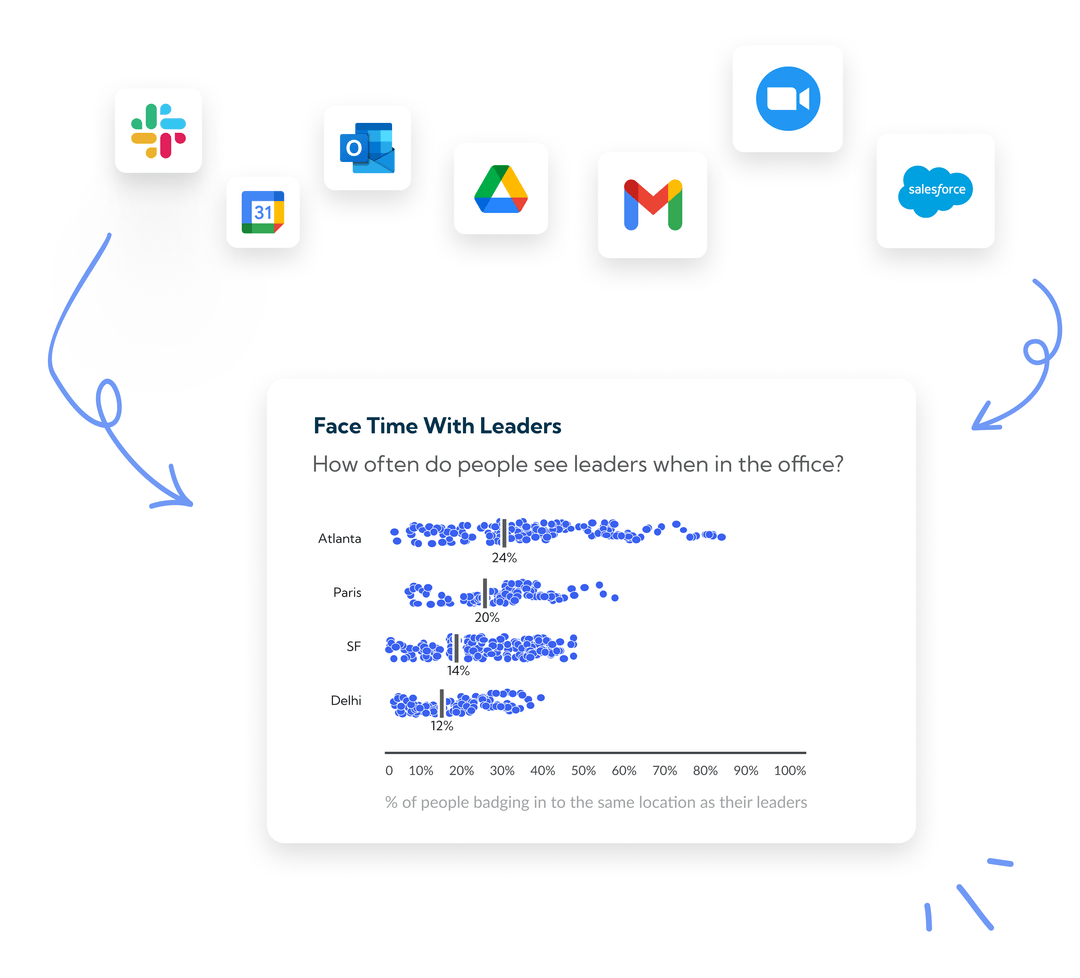
Worklytics specializes in transforming collaboration data into actionable productivity insights while maintaining strict privacy standards. The platform integrates with over 25 productivity tools and generates more than 400 metrics, providing comprehensive visibility into how work gets done across your organization. (Worklytics)
Worklytics offers direct connectors for Google Calendar that maintain privacy through data anonymization and aggregation. The integration process involves:
1. Authentication: Establish secure API connections between Google Workspace and Worklytics
2. Data Mapping: Configure which calendar metadata fields to include in analysis
3. Privacy Controls: Set anonymization rules and aggregation levels
4. Validation: Verify data quality and completeness before full deployment
The Worklytics Google Calendar connector supports both direct API integration and data warehouse connections, providing flexibility for different organizational architectures. (Worklytics)
Beyond calendar data, Worklytics can analyze Google Meet usage patterns to understand meeting effectiveness and collaboration quality. This integration provides insights into meeting duration trends, participant engagement levels, and recurring meeting optimization opportunities. (Worklytics)
Worklytics uses machine learning algorithms to clean, de-duplicate, and standardize datasets from multiple sources. This automated processing ensures data quality while reducing the manual effort required to maintain accurate productivity metrics. (Worklytics)
Definition: The proportion of total work time spent in uninterrupted blocks of 2+ hours, free from meetings or scheduled interruptions.
Industry Benchmark: According to IDC research, knowledge workers spend only 36% of their time on creative, strategic work—the remainder is consumed by meetings, administrative tasks, and interruptions.
Calculation Method: (Total Focus Time Hours / Total Available Work Hours) × 100
Target Range: High-performing teams typically achieve 40-50% focus time, while teams below 25% often struggle with productivity and job satisfaction.
Definition: A composite score measuring meeting frequency, duration, and timing impact on individual productivity.
Components:
• Meeting hours per week
• Average meeting size
• Back-to-back meeting frequency
• Meeting distribution across work hours
Optimization Targets: Most productive teams limit meetings to 20-25% of total work time, with no more than 4 hours of consecutive meetings per day.
Definition: Average time between receiving a communication (email, chat, document comment) and providing a meaningful response.
Segmentation: Measure response times separately for:
• Internal team communications
• Cross-departmental requests
• External stakeholder interactions
• Urgent vs. routine communications
Performance Indicators: Response latency trends can indicate workload balance, communication efficiency, and team collaboration health.
Definition: Measures the diversity and frequency of cross-functional interactions, indicating how effectively individuals contribute to broader organizational goals.
Calculation Factors:
• Number of unique collaborators per week
• Cross-departmental interaction frequency
• Document sharing and co-editing patterns
• Meeting participation across different teams
IDC's research indicating that knowledge workers spend only 36% of their time on creative, strategic work provides a crucial benchmark for productivity measurement. Organizations using Worklytics can compare their focus time percentages against this industry standard to identify improvement opportunities.
Modern hybrid work has changed the shape of the traditional workday, elongating the span of work hours while changing the intensity of work throughout the day. Worklytics measures workday intensity as time spent on digital work as a percentage of the overall workday span, providing insights into work-life balance and productivity patterns. (Worklytics)
Research shows that manager 1:1 frequency and cancellation rates are key metrics for measuring managerial effectiveness, with regular coaching and touch points highly correlated with positive productivity outcomes. (Worklytics)
Effective productivity dashboards balance individual privacy with organizational insights by focusing on team-level and departmental aggregations rather than individual performance tracking.
Executive View: High-level trends in focus time, meeting efficiency, and collaboration patterns across the organization
Manager View: Team-specific metrics with drill-down capabilities for coaching and resource allocation decisions
Individual View: Personal productivity insights and benchmarking against anonymized peer groups
Focus Time Trends: Line charts showing focus time percentage over time, with annotations for major organizational changes or initiatives
Meeting Load Heatmaps: Visual representations of meeting density across teams, departments, and time periods
Collaboration Network Diagrams: Interactive visualizations showing cross-functional interaction patterns and communication flows
Response Time Distributions: Histograms and box plots showing communication response patterns and outliers
Set up automated alerts for:
• Teams falling below focus time thresholds
• Unusual spikes in meeting load
• Communication bottlenecks or delays
• Significant changes in collaboration patterns
-- Sample table structure for productivity metrics
CREATE TABLE productivity_metrics (
  date DATE,
  team_id STRING,
  department STRING,
  focus_time_percentage FLOAT64,
  meeting_hours_per_week FLOAT64,
  avg_response_time_hours FLOAT64,
  collaboration_breadth_score FLOAT64,
  workday_intensity FLOAT64
);
-- Calculate weekly focus time percentage by team
SELECT
  team_id,
  department,
  DATE_TRUNC(date, WEEK) as week,
  AVG(focus_time_percentage) as avg_focus_time,
  AVG(meeting_hours_per_week) as avg_meeting_load,
  AVG(avg_response_time_hours) as avg_response_time
FROM productivity_metrics
WHERE date >= DATE_SUB(CURRENT_DATE(), INTERVAL 12 WEEK)
GROUP BY team_id, department, week
ORDER BY week DESC, avg_focus_time DESC;
-- Compare team performance against IDC 36% benchmark
SELECT
  team_id,
  department,
  AVG(focus_time_percentage) as team_focus_time,
  36.0 as idc_benchmark,
  AVG(focus_time_percentage) - 36.0 as benchmark_difference,
  CASE
    WHEN AVG(focus_time_percentage) >= 40 THEN 'High Performer'
    WHEN AVG(focus_time_percentage) >= 30 THEN 'Average'
    ELSE 'Needs Improvement'
  END as performance_category
FROM productivity_metrics
WHERE date >= DATE_SUB(CURRENT_DATE(), INTERVAL 4 WEEK)
GROUP BY team_id, department
ORDER BY team_focus_time DESC;
-- Identify productivity trends over time
WITH weekly_trends AS (
  SELECT
    DATE_TRUNC(date, WEEK) as week,
    AVG(focus_time_percentage) as avg_focus_time,
    AVG(meeting_hours_per_week) as avg_meeting_hours,
    AVG(collaboration_breadth_score) as avg_collaboration
  FROM productivity_metrics
  WHERE date >= DATE_SUB(CURRENT_DATE(), INTERVAL 26 WEEK)
  GROUP BY week
)
SELECT
  week,
  avg_focus_time,
  LAG(avg_focus_time, 1) OVER (ORDER BY week) as prev_week_focus,
  avg_focus_time - LAG(avg_focus_time, 1) OVER (ORDER BY week) as focus_time_change,
  avg_meeting_hours,
  avg_collaboration
FROM weekly_trends
ORDER BY week;
Worklytics leverages machine learning to identify patterns that predict productivity outcomes before they become apparent through traditional metrics. By analyzing historical collaboration data, the platform can forecast potential productivity challenges and recommend proactive interventions.
As organizations increasingly adopt AI tools for productivity enhancement, Worklytics provides insights into AI tool usage patterns and their impact on overall productivity. The platform can analyze how teams leverage AI assistants, automation tools, and other productivity enhancers to optimize work processes. (Worklytics)
While this guide focuses on Google Workspace, Worklytics can integrate data from over 25 productivity tools, including Microsoft Teams, Slack, Jira, and other collaboration platforms. This comprehensive approach provides a complete picture of how work gets done across your entire technology stack. (Worklytics)
Worklytics employs advanced anonymization techniques to ensure individual privacy while maintaining analytical value. Personal identifiers are removed or hashed, and data is aggregated at appropriate levels to prevent re-identification while preserving insights.
The platform is designed to comply with major data protection regulations including GDPR and CCPA. Data processing agreements, retention policies, and user consent mechanisms are built into the system architecture to ensure ongoing compliance. (Worklytics)
Successful productivity measurement programs require clear communication about data usage, privacy protections, and the benefits of insights-driven workplace improvements. Organizations should establish transparent policies and regular communication about how productivity data is collected, analyzed, and used.
Track the impact of productivity insights through:
• Increased focus time percentage across teams
• Reduced meeting load and improved meeting efficiency
• Faster response times and improved collaboration
• Higher employee satisfaction and engagement scores
Connect productivity improvements to business outcomes:
• Project completion rates and timeline adherence
• Innovation metrics and creative output
• Employee retention and satisfaction
• Revenue per employee and operational efficiency
Establish regular review cycles to:
• Analyze productivity trends and patterns
• Identify successful interventions and best practices
• Adjust KPIs and benchmarks based on organizational changes
• Expand measurement to additional teams and departments
Incomplete Calendar Data: Ensure users are consistently using Google Calendar for all work-related scheduling, including focus time blocks and out-of-office periods.
Integration Delays: Allow 2-4 weeks for sufficient data collection before drawing conclusions about productivity patterns.
Privacy Concerns: Address employee concerns through transparent communication about data usage, anonymization practices, and the benefits of productivity insights.
API Rate Limits: Implement appropriate throttling and retry logic when extracting large volumes of calendar and collaboration data.
Data Warehouse Integration: Ensure proper data pipeline architecture to handle real-time updates and historical data analysis.
Dashboard Performance: Optimize queries and implement appropriate caching strategies for responsive dashboard performance.
The future of productivity measurement lies in AI-powered analysis that can identify subtle patterns and provide predictive insights. Worklytics continues to enhance its machine learning capabilities to provide more sophisticated productivity intelligence. (Worklytics)
Advanced analytics platforms are moving beyond measurement toward real-time coaching and intervention recommendations. This evolution transforms productivity analytics from a reporting tool into an active productivity enhancement system.
As new collaboration tools and work technologies emerge, productivity measurement platforms must adapt to incorporate data from virtual reality meetings, AI assistants, and other innovative work tools.
Measuring employee productivity in Google Workspace using Work Insights combined with Worklytics provides a comprehensive, privacy-first approach to understanding how work gets done in your organization. By following this step-by-step guide, you can implement a real-time productivity scoring system that generates actionable insights without invasive monitoring or survey fatigue.
The key to success lies in focusing on meaningful metrics like focus time percentage, meeting load optimization, and collaboration effectiveness rather than simple activity tracking. By benchmarking against industry standards like IDC's 36% creative work statistic and implementing continuous improvement processes, organizations can create a culture of productivity enhancement that benefits both employees and business outcomes.
Worklytics' privacy-first approach ensures that productivity measurement enhances rather than undermines employee trust and engagement. (Worklytics) As you implement these productivity measurement capabilities, remember that the goal is not surveillance but rather creating insights that help teams work more effectively and find greater satisfaction in their professional contributions.
The combination of Google Workspace's native analytics capabilities with Worklytics' advanced processing and visualization tools provides a powerful foundation for data-driven productivity improvement. Start with the basic implementation outlined in this guide, then gradually expand your measurement capabilities as you gain experience and demonstrate value to your organization.
Work Insights is Google's native analytics tool that provides basic collaboration data from Google Workspace, while Worklytics is a comprehensive third-party platform that integrates with over 25 collaboration tools including Google Workspace. Worklytics uses machine learning to clean, de-duplicate, and standardize datasets, providing deeper insights into team productivity and collaboration patterns that Work Insights alone cannot deliver.
Worklytics follows a privacy-first approach by analyzing collaboration metadata rather than content, ensuring compliance with GDPR and other data protection laws. The platform focuses on understanding work patterns through calendar events, meeting frequency, and collaboration metrics without accessing personal communications or requiring invasive monitoring tools like keystroke tracking or screen surveillance.
Using Google Calendar data analytics, you can track meeting frequency and duration, collaboration patterns across teams, manager 1:1 frequency and cancellation rates, workday intensity as a percentage of overall workday span, and hybrid work patterns. These metrics help identify bottlenecks, optimize meeting culture, and understand how work actually gets done in your organization.
Yes, Worklytics integrates with more than 25 common collaboration and productivity tools including Microsoft 365, Slack, Jira, Asana, GitHub, and various AI tools like ChatGPT Teams, Google Gemini, and Microsoft Copilot. This comprehensive integration allows organizations to get a complete picture of productivity across their entire tech stack, not just Google Workspace.
Once Worklytics is connected to your Google Workspace, you can start seeing initial collaboration insights within 24-48 hours as the platform begins collecting and processing metadata. However, meaningful productivity trends and patterns typically become visible after 2-4 weeks of data collection, allowing for more accurate benchmarking and actionable insights.
The most critical manager effectiveness metrics include 1:1 meeting frequency and cancellation rates, team collaboration patterns, response times to team communications, and cross-functional connection facilitation. Research shows that regular coaching through scheduled touchpoints is highly correlated with positive team outcomes, making 1:1 frequency a key leading indicator of managerial effectiveness rather than relying solely on lagging eSat scores.
1. https://docs.worklytics.co/knowledge-base/connectors/google-calendar/direct-connection
2. https://www.worklytics.co/blog/4-new-ways-to-model-work
3. https://www.worklytics.co/blog/how-google-calendar-time-insights-can-boost-productivity
4. https://www.worklytics.co/blog/key-compliance-laws-for-remote-employee-monitoring-data-protection
5. https://www.worklytics.co/blog/manager-effectiveness-5-metrics-that-matter-more-than-esat-scores
6. https://www.worklytics.co/blog/measure-employee-performance-in-the-age-of-ai
7. https://www.worklytics.co/blog/measuring-productivity-what-actually-works
8. https://www.worklytics.co/get-started
9. https://www.worklytics.co/integrations
10. https://www.worklytics.co/integrations/google-meet-analytics