AI & AGent Analytics

AI Adoption Dashboard for Enterprise Teams

Is your organization falling behind on AI adoption?

Are you getting enough return on your AI investment?

What can you do to boost adoption and proficiency?

Use existing corporate data to measure AI and agent adoption across your organization, boost uptake and ensure return on your AI investment.

What Is an AI Adoption Dashboard?

An AI adoption dashboard tracks how employees across an organization are using AI tools — measuring activation rates, usage frequency, power-user distribution, and productivity impact across platforms like Microsoft Copilot, Google Gemini, and ChatGPT Enterprise. Unlike individual usage reports, enterprise AI adoption dashboards aggregate anonymized data at team and department level, giving HR and operations leaders the visibility to accelerate adoption and prove ROI to the board.

What Does an AI Adoption Dashboard Measure?

- Activation rate: Percentage of licensed employees using AI tools at least once - Active usage frequency: Weekly engagement with AI tools - Power user distribution: Teams and roles with intensive AI usage - Adoption laggards: Departments or managers with stalled adoption - Productivity correlation: Output gains in high-AI-usage teams - Tool-by-tool breakdown: Comparison of Copilot, Gemini, and ChatGPT usage

Measure AI Adoption Across All Teams & Track Progress

Effortlessly connect data from all your corporate AI tools—like Slack, Microsoft Copilot, Gemini, Zoom and more—to get a unified view of adoption across your organization. Track usage by team and role, set goals, and monitor progress over time to drive behavior change and demonstrate ROI.

Benchmark AI Adoption Against Peer Organizations

Benchmark your organization’s AI adoption against industry peers to see where you stand and where to improve. Identify leading practices from high-performing companies, learn what’s working across the market, and apply those insights to accelerate your own AI journey with greater confidence, clarity, and competitive advantage.
Available in summer 2025

Understand & Track AI Adoption Through Real-time Dashboards

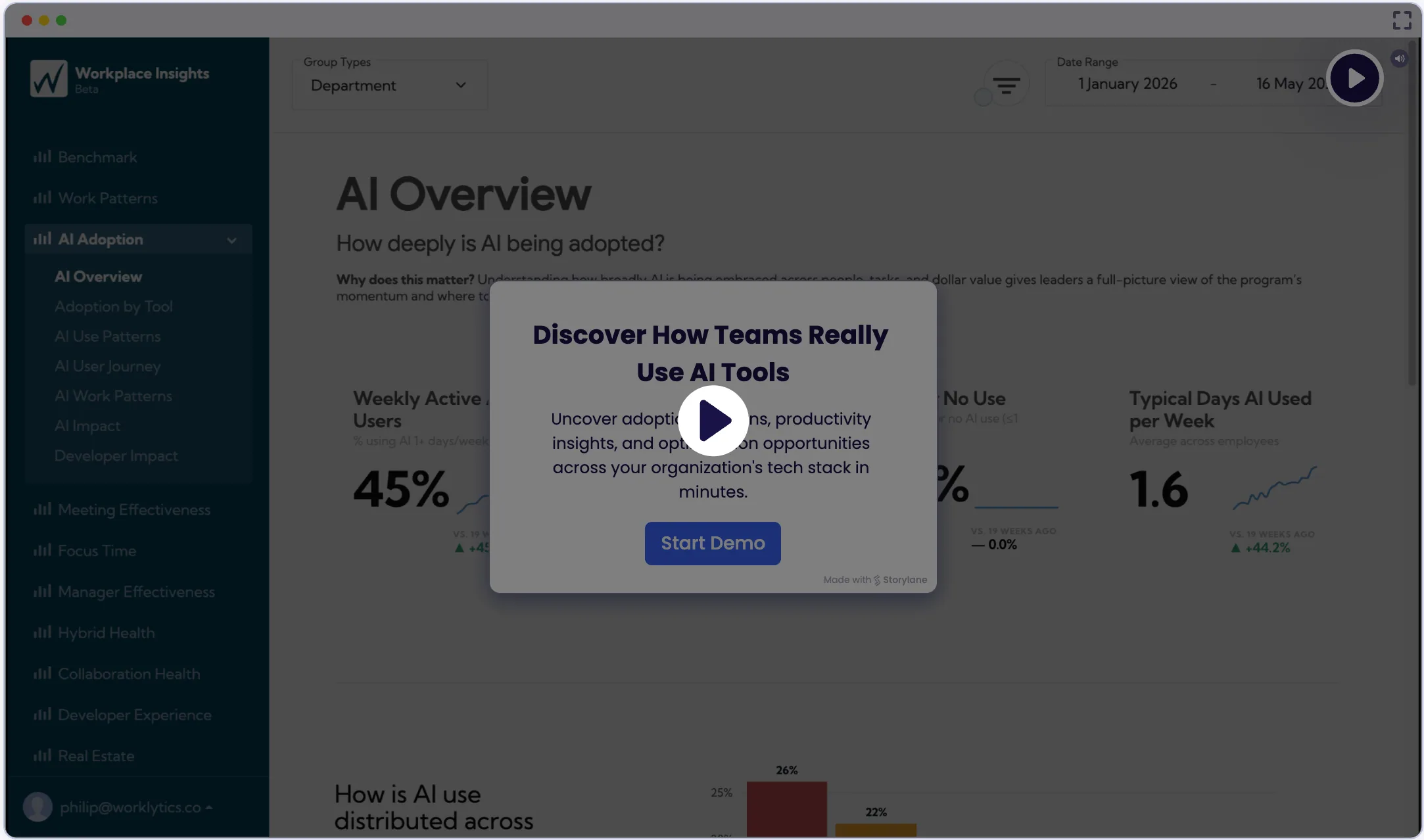
Workplace Insights dashboards help organizations track and understand AI adoption across teams by connecting directly to tools like ChatGPT, Gemini, and Microsoft Copilot. Gain visibility into usage trends, identify where adoption is thriving or lagging, and monitor key metrics like activation rates, frequency of use, and the impact on productivity. These insights make it easy to pinpoint opportunities, set targets, and drive more effective AI enablement.Ask ChatGPT

Learn How to Boost Adoption and Proficiency

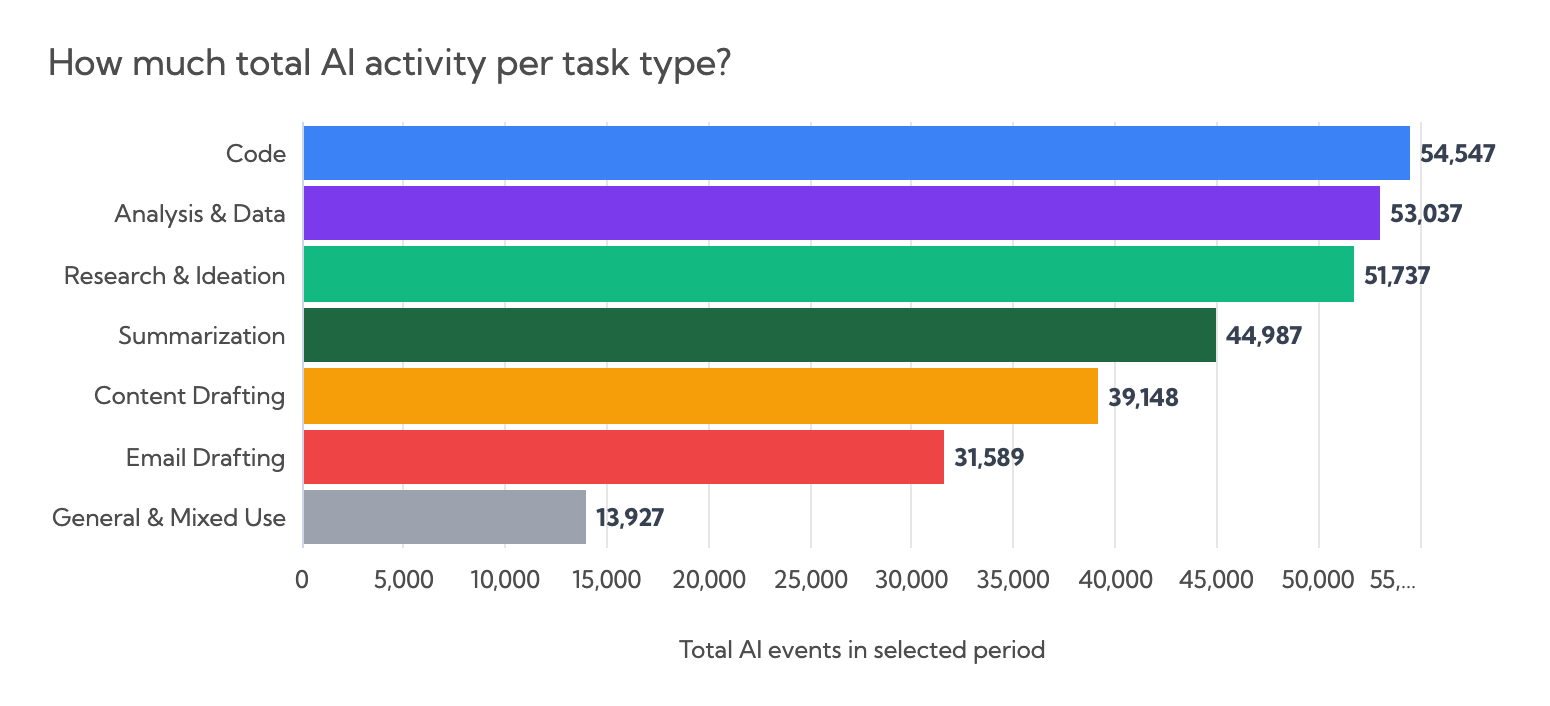
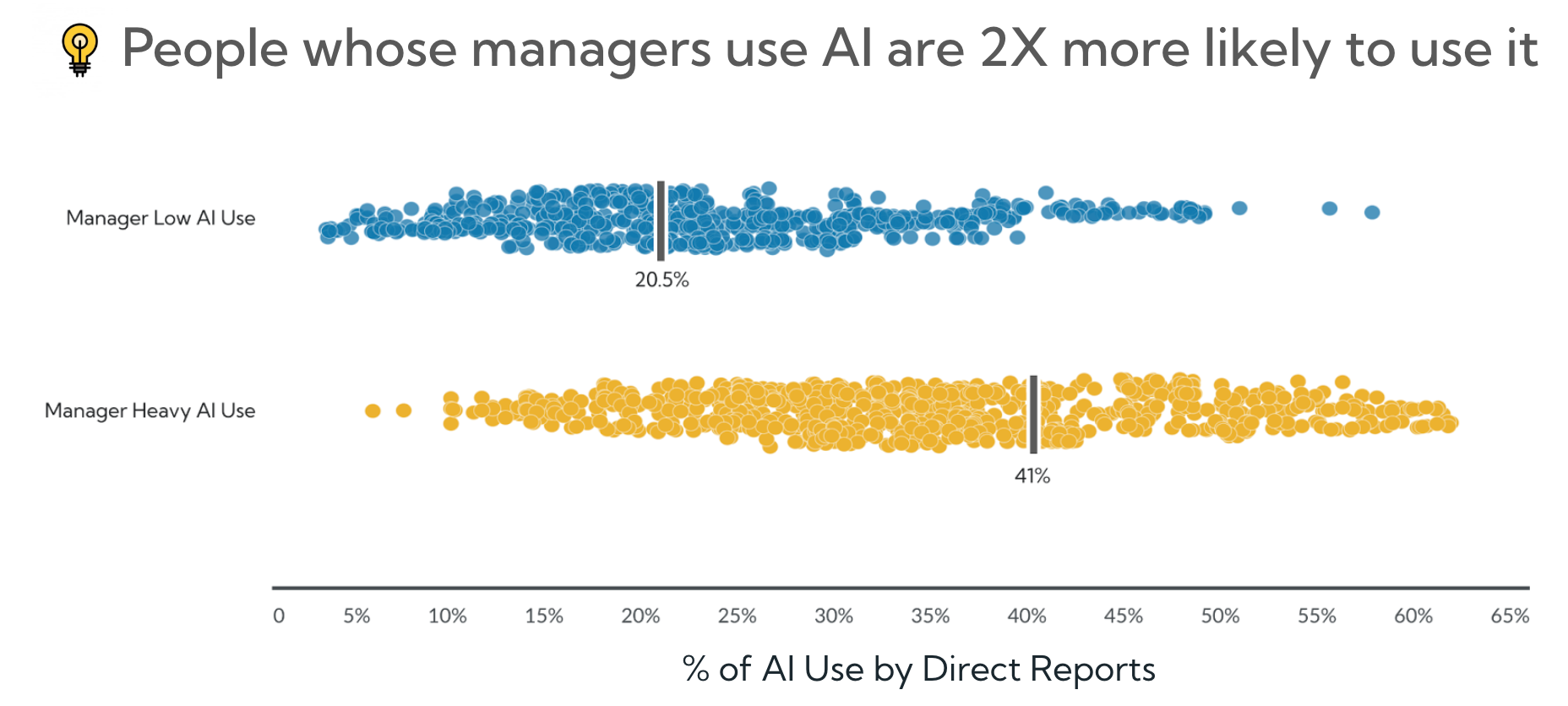
Learn where AI is taking off—and where it’s not—so you can target the right teams with training, resources, and support. Spot patterns in usage and proficiency, identify power users, and uncover opportunities to boost adoption and maximize impact across your organization.

Get Access to Datasets on AI Usage in Your Organization

Easily export your AI usage data to your own data warehouse or BI tools to combine it with other organizational datasets. Whether you’re building custom dashboards, running advanced analyses, or integrating with existing reporting workflows, you’ll have full access to the raw data to go as deep as you need.

Request SAMPLE REPORT

Take a Peek at a Sample Version of our AI Adoption Report

Request Sample

Frequently Asked Questions

How is an AI adoption dashboard different from Microsoft's built-in Copilot reports?

Microsoft's native Copilot reports show usage within the Microsoft 365 ecosystem only. An enterprise AI adoption dashboard like Worklytics aggregates data across all AI tools — Copilot, Gemini, ChatGPT Enterprise, and others — into a single view, and links AI usage to collaboration and productivity signals from the rest of your tech stack.

Does an AI adoption dashboard track what employees are prompting the AI with?

No. Privacy-first AI adoption dashboards analyze usage metadata only — how often tools are used, by whom at the team level, and whether usage correlates with productivity — never the content of individual prompts or AI outputs.

How do you prove ROI from AI adoption?

The most reliable approach links AI usage signals to existing productivity metrics: comparing output, throughput, or collaboration patterns between high-adoption and low-adoption teams over the same period. Worklytics automates this analysis by combining AI usage data with calendar, email, and project tool signals.

How quickly can we get an AI adoption dashboard running?

Worklytics connects to Microsoft 365, Google Workspace, and other AI platforms via API — most organizations are seeing their first AI adoption metrics within a week of setup, with meaningful trend data building over the following 30 days.