

Real-time calendar analytics provide immediate visibility into meeting patterns, enabling hybrid teams to address collaboration overload as it happens rather than through delayed reports. Worklytics processes over 400 metrics from Google Calendar data in real-time, while most tools operate on daily or weekly refresh cycles, leaving managers blind to emerging burnout risks until it's too late.
• Traditional calendar analytics tools like Google Calendar Time Insights only show individual data with significant delays, missing team-level patterns critical for hybrid management
• Executives spend 23 hours weekly in meetings with nearly half being unproductive, yet most organizations discover this through quarterly reports rather than real-time dashboards
• Real-time platforms like Worklytics integrate with over 25 workplace tools to correlate calendar patterns with productivity metrics instantly
• Privacy-first analytics use anonymization and aggregation to deliver organizational insights without tracking individual behavior
• Teams that implemented real-time calendar analytics reduced meetings by 40% and saw 71% productivity gains
• Critical metrics include meeting hours per employee, focus time protection, recurring meeting effectiveness, and after-hours activity patterns
Hybrid leaders need real-time Google Calendar analytics to spot meeting overload before burnout strikes. With executives spending 23 hours weekly in meetings and teams losing up to 85% of their time to unproductive collaboration, waiting for yesterday's calendar data is no longer an option.
The shift to hybrid work has fundamentally changed how organizations measure productivity and manage time. The COVID-19 pandemic accelerated the transition to distributed teams, creating an urgent need for real-time visibility into calendar patterns and meeting loads.
Traditional calendar analytics operate on significant delays. By the time managers receive weekly reports or monthly summaries, employees have already accumulated dozens of hours in unnecessary meetings. Leaders spend 23 hours of their workweek attending meetings, with employees potentially spending as much as 85% of their time in various collaboration activities.
"Time is the most finite resource in your organization and the least understood," according to recent workplace analytics research. This gap between data collection and actionable insights creates a dangerous blind spot for hybrid organizations. The average executive loses nearly half their meeting time to unproductive sessions, yet most don't realize this until well after the damage is done.
Real-time calendar dashboards address this critical timing gap. Instead of discovering meeting overload through burnout symptoms or quarterly engagement surveys, managers can identify problematic patterns as they emerge. This immediate visibility enables interventions before collaboration fatigue sets in, protecting both employee wellbeing and organizational productivity.
Google Calendar Time Insights provides professionals with a structured visual overview of their weekly time allocation, but its utility stops at the individual level. By default, these insights remain private to each user, invisible to managers and administrators who need organizational visibility.
This privacy-by-design approach, while protecting individual data, creates significant limitations for team management. Managers cannot see aggregate meeting patterns, identify collaboration bottlenecks, or spot employees approaching burnout. Time Insights lacks AI-powered recommendations or predictive analytics that could flag concerning trends before they impact performance.
The tool's basic categorization misses critical nuances in calendar data. It cannot distinguish between productive collaboration and meeting sprawl, nor can it identify which recurring meetings have outlived their usefulness. Studies show that 30% of total work hours are consumed by meetings employees consider unnecessary or ineffective.
For hybrid teams operating across time zones and locations, these limitations become even more pronounced. Without real-time, team-level analytics, managers resort to guesswork about workload distribution and collaboration health. More than 35% of meetings are deemed unproductive, costing firms billions annually, yet Time Insights provides no mechanism to identify or address these inefficiencies at scale.
The individual-only focus also prevents organizations from establishing benchmarks or tracking progress on meeting reduction initiatives. While employees can see their personal patterns, leadership lacks the aggregated view necessary for strategic decision-making about collaboration policies and meeting culture.
Hybrid leaders require comprehensive metrics that go beyond simple meeting counts to understand collaboration health and team dynamics. Workday intensity measures time spent on digital work as a percentage of overall workday span, revealing whether employees are maintaining sustainable schedules.
Critical real-time metrics for hybrid teams include:
• Meeting Hours per FTE: Track weekly meeting loads across teams to identify overload patterns
• Focus Time Protection: Monitor uninterrupted work blocks and interruption frequency
• Recurring Meeting Sprawl: Identify standing meetings with declining attendance or value
• Cross-Functional Collaboration Density: Visualize departmental interaction patterns
• 1-on-1 Completion Rates: Ensure manager-employee connections remain consistent
• Meeting Cost Analysis: Translate meeting time into monetary terms based on attendee compensation
• After-Hours Activity: Flag work-life balance concerns before burnout occurs
• Response Time Patterns: Measure calendar invitation acceptance delays
• Meeting Fragmentation Index: Assess schedule continuity and context-switching frequency
• Collaboration Network Strength: Map team connectivity and identify silos
• Meeting Effectiveness Scores: Correlate meeting patterns with productivity outcomes
• Time Zone Distribution: Optimize scheduling across global teams
Leaders lose 23 hours weekly to meetings, making these metrics essential for reclaiming productive time. The ability to track these indicators in real time, rather than through delayed reports, enables immediate adjustments to meeting culture and collaboration practices.
Organizations that monitor these metrics report significant improvements. Teams that cut meetings 40% saw productivity jump 71%, demonstrating the direct impact of data-driven meeting management. The average worker spends over $29,000 annually in meeting-related time, making real-time optimization a critical cost-saving measure.
Worklytics provides real-time team metrics by seamlessly integrating Google Calendar data with over 25 workplace tools, generating actionable analytics while maintaining strict privacy standards. The platform transforms raw calendar metadata into organizational intelligence without tracking individual behavior or assigning productivity ratings.
The system operates through privacy-preserving aggregation that anonymizes data at collection, ensuring no personally identifiable information enters the analytics pipeline. Worklytics uses data anonymization and aggregation to maintain GDPR and CCPA compliance while delivering valuable organizational insights.
A key differentiator is Focus-Block Intelligence, which correctly categorizes different calendar event types. Unlike basic calendar analytics that count all blocked time as meetings, Worklytics distinguishes between collaborative sessions, focus work, and administrative tasks. By leveraging this intelligence to separate genuine meetings from focus time, organizations have saved an average of 6.3 hours per week per employee.
The platform continuously processes calendar events as they occur, updating dashboards within seconds of schedule changes. This real-time processing enables managers to spot meeting pile-ups before they happen, redistribute workload during peak periods, and protect focus time proactively. The system generates over 400 metrics from calendar data alone, providing comprehensive visibility into collaboration patterns, meeting health, and time allocation across teams.
Through machine learning algorithms, Worklytics identifies patterns invisible to human observation, such as gradual meeting creep, collaboration silos forming over time, and early burnout indicators. These insights arrive through customizable alerts and dashboards, ensuring leaders receive relevant information without data overload.
Flowtrace specializes in meeting analytics, providing detailed insights into meeting patterns, costs, and effectiveness for organizations focused primarily on calendar optimization. The platform excels at translating meeting time into financial terms, helping leaders understand the monetary impact of collaboration choices.
TimeTackle takes a different approach, emphasizing meeting health analytics and executive calendar audits. The platform uses enterprise-level encryption to protect calendar data while providing insights into time allocation and resource utilization. Their focus remains on aligning team schedules with organizational KPIs through structured calendar analysis.
Worklytics distinguishes itself through comprehensive integration capabilities and real-time processing. While Flowtrace and TimeTackle provide valuable calendar-specific insights, Worklytics connects calendar data with signals from communication tools, project management systems, and other collaboration platforms. This holistic view reveals how meeting patterns impact broader productivity metrics.
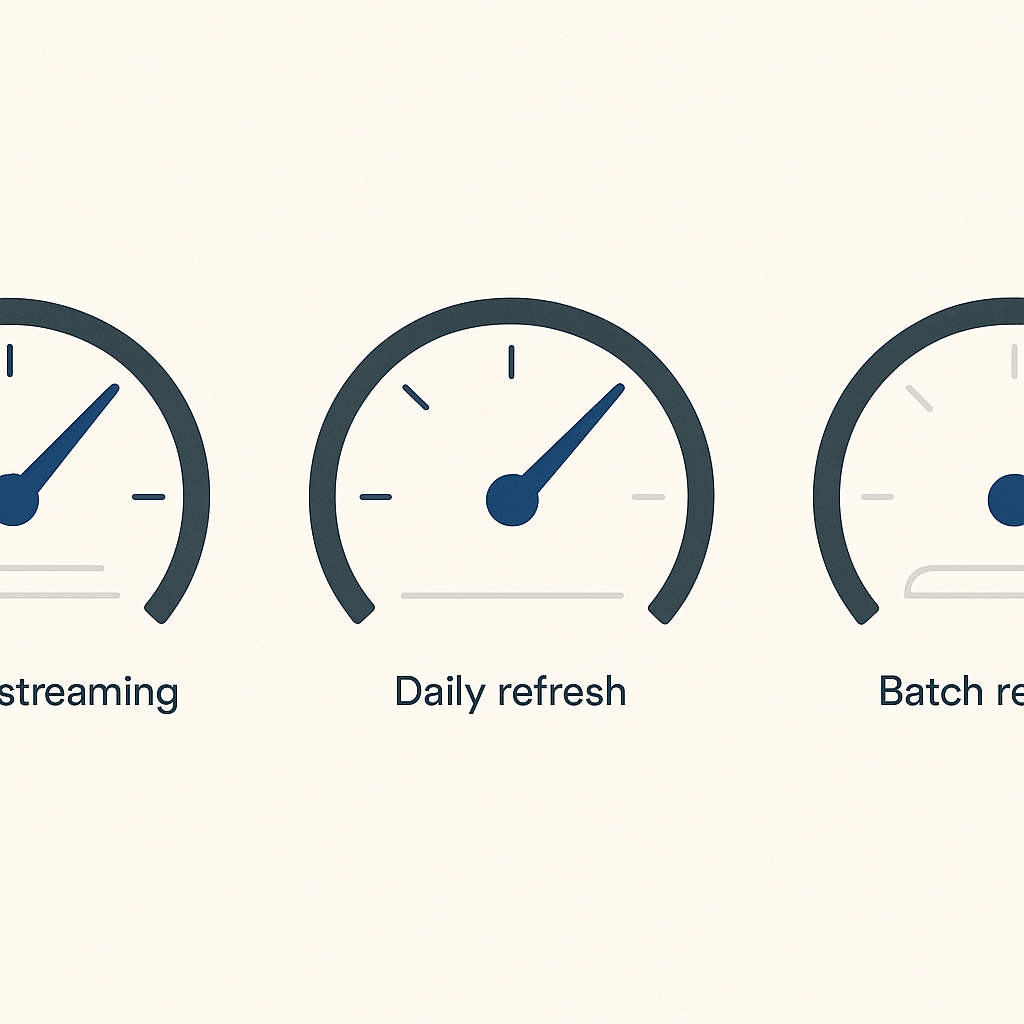
Data freshness varies significantly across platforms. Flowtrace typically operates on daily data refreshes, while TimeTackle processes information in scheduled batches. Worklytics maintains continuous data streams, updating metrics within seconds of calendar changes. This real-time capability proves critical for organizations managing distributed teams across time zones.
Privacy approaches also differ markedly. Despite the hype around AI capabilities, many platforms struggle to balance insights with data protection. Worklytics addresses this through complete anonymization at the point of collection, while competitors may retain more granular individual data. Project44 achieved over 30% year-over-year growth by prioritizing real-time visibility, demonstrating the market's demand for immediate insights over delayed reporting.
Successful calendar analytics implementation requires careful attention to privacy concerns and change management. 86% of employees believe it should be legally required for employers to disclose monitoring tools, making transparency essential from day one.
Start with a pilot program involving volunteer teams who understand the benefits of data-driven meeting optimization. The COVID-19 pandemic accelerated hybrid work adoption, but many organizations still struggle with implementation strategies for analytics tools.
Essential implementation steps:
• Establish Clear Communication: Publish a single page explaining why you track calendar data, what remains private, and how insights benefit employees
• Define Privacy Boundaries: Specify that only aggregated, anonymized data reaches dashboards, with no individual tracking
• Create Baseline Metrics: Measure current meeting loads before implementing changes to demonstrate improvement
• Set Realistic Targets: Aim for 20-30% meeting reduction initially, as companies reducing meetings by 40% saw 71% productivity gains
• Deploy Gradually: Roll out to leadership first, then expand team by team with success stories
• Integrate with Existing Tools: Time tracking in 2025 succeeds when embedded in current workflows, not as standalone systems
• Provide Training: Ensure managers understand how to interpret dashboards and take action on insights
• Establish Feedback Loops: Create channels for employees to report concerns or suggest improvements
• Monitor Adoption Rates: Track dashboard usage and alert responsiveness to identify training gaps
• Celebrate Quick Wins: Share stories of teams reclaiming focus time or eliminating wasteful meetings
• Review and Iterate: Adjust metrics and thresholds based on organizational feedback
• Maintain Transparency: Regularly communicate how data improves work-life balance
Addressing privacy concerns upfront prevents resistance. Emphasize that calendar analytics aims to optimize collaboration, not surveil individuals. Show how insights protect employee wellbeing by preventing meeting overload and burnout.
Real-time team metrics and customizable dashboards transform how organizations manage hybrid collaboration. Instead of discovering meeting overload through quarterly surveys or burnout statistics, leaders can intervene the moment unhealthy patterns emerge.
The shift from delayed reporting to live insights enables proactive management of the modern workplace's most precious resource: time. Organizations implementing real-time calendar analytics report immediate benefits including reduced meeting hours, increased focus time, and improved employee satisfaction.
The contrast between native tools and purpose-built analytics platforms is stark. While Google Calendar Time Insights provides individual visibility, platforms like Worklytics deliver the organizational intelligence necessary for strategic decision-making. The ability to correlate calendar patterns with productivity metrics, communication data, and project outcomes creates a comprehensive view of workplace effectiveness.
Privacy-first design ensures these insights come without compromising employee trust. Through anonymization, aggregation, and transparent communication, organizations can optimize collaboration while respecting individual privacy.
For hybrid teams navigating distributed work challenges, real-time calendar analytics isn't just helpful; it's essential. The organizations that thrive will be those that can spot and address collaboration issues in real time, not weeks or months after problems develop.
Ready to transform your calendar data into actionable insights? Explore how Worklytics' Google Calendar integration can help your hybrid teams work smarter, not harder.
Real-time calendar data is crucial for hybrid teams as it allows managers to identify meeting overload and collaboration bottlenecks before they lead to burnout. This immediate visibility helps in making timely interventions to maintain productivity and employee well-being.
Google Calendar Time Insights provides individual-level data, which limits its utility for team management. It lacks organizational visibility, AI-powered recommendations, and predictive analytics, making it difficult for managers to identify collaboration inefficiencies and prevent burnout.
Hybrid leaders need metrics like Meeting Hours per FTE, Focus Time Protection, Recurring Meeting Sprawl, and Meeting Cost Analysis. These metrics help in understanding collaboration health, optimizing meeting schedules, and improving productivity across teams.
Worklytics ensures privacy by anonymizing and aggregating data at the point of collection, complying with GDPR and CCPA standards. This approach protects individual privacy while providing valuable organizational insights.
Organizations should start with a pilot program, establish clear communication about privacy, set realistic targets, and provide training. Gradual deployment and integration with existing tools, along with maintaining transparency, are key to successful implementation.
1. https://worklytics.co/integrations/google-calendar-data-analytics
4. https://rsisinternational.org/journals/ijriss/Digital-Library/volume-9-issue-14/2001-2017.pdf
5. https://worklytics.co/blog/how-google-calendar-time-insights-can-boost-productivity
7. https://www.flowtrace.co/collaboration-blog/google-calendar-analytics-drive-meeting-performance
9. https://www.worklytics.co/case-studies/meeting-optimization-focus-time-google-calendar
10. https://www.timetackle.com/features/calendar-analytics-and-insights/
11. https://howtomanagework.com/articles/best-ai-time-tracking
12. https://trackingtime.co/resources/the-best-time-tracking-integrations-for-2025.html



