Hello!
This month’s Worklytics updates introduce new ways to quantify how work actually happens—connecting employee sentiment to work patterns, scoring meeting effectiveness, and making it easier to compare workday patterns across teams.
Scroll on for details 👇
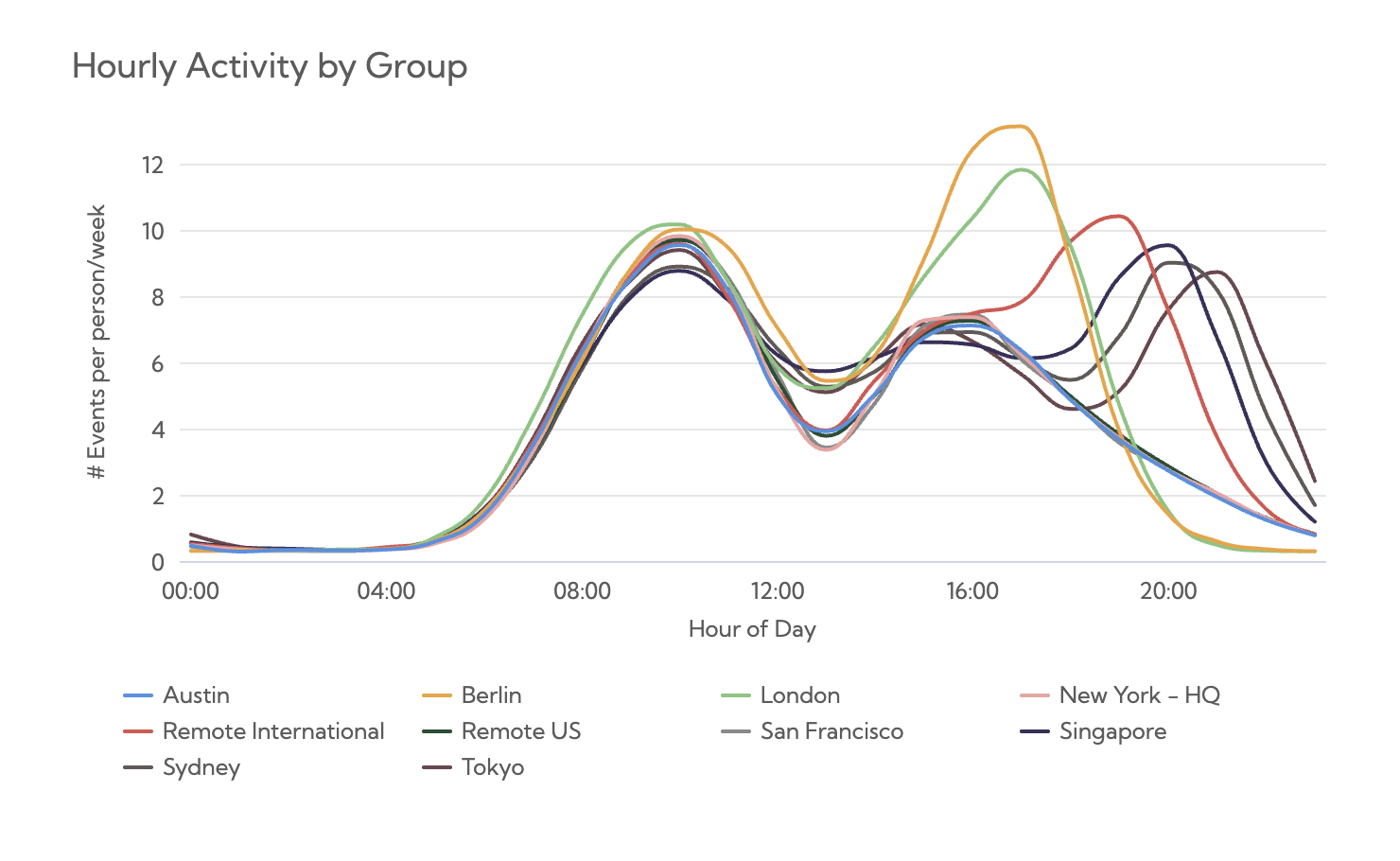
How do employee perceptions align with actual work behaviors?
Our new Survey Insights dashboard lets you overlay survey responses with objective work pattern data—making it easier to explore relationships between how work feels and how it’s actually happening day to day.
This helps teams:
Respond to this email if you’re interested in learning more!
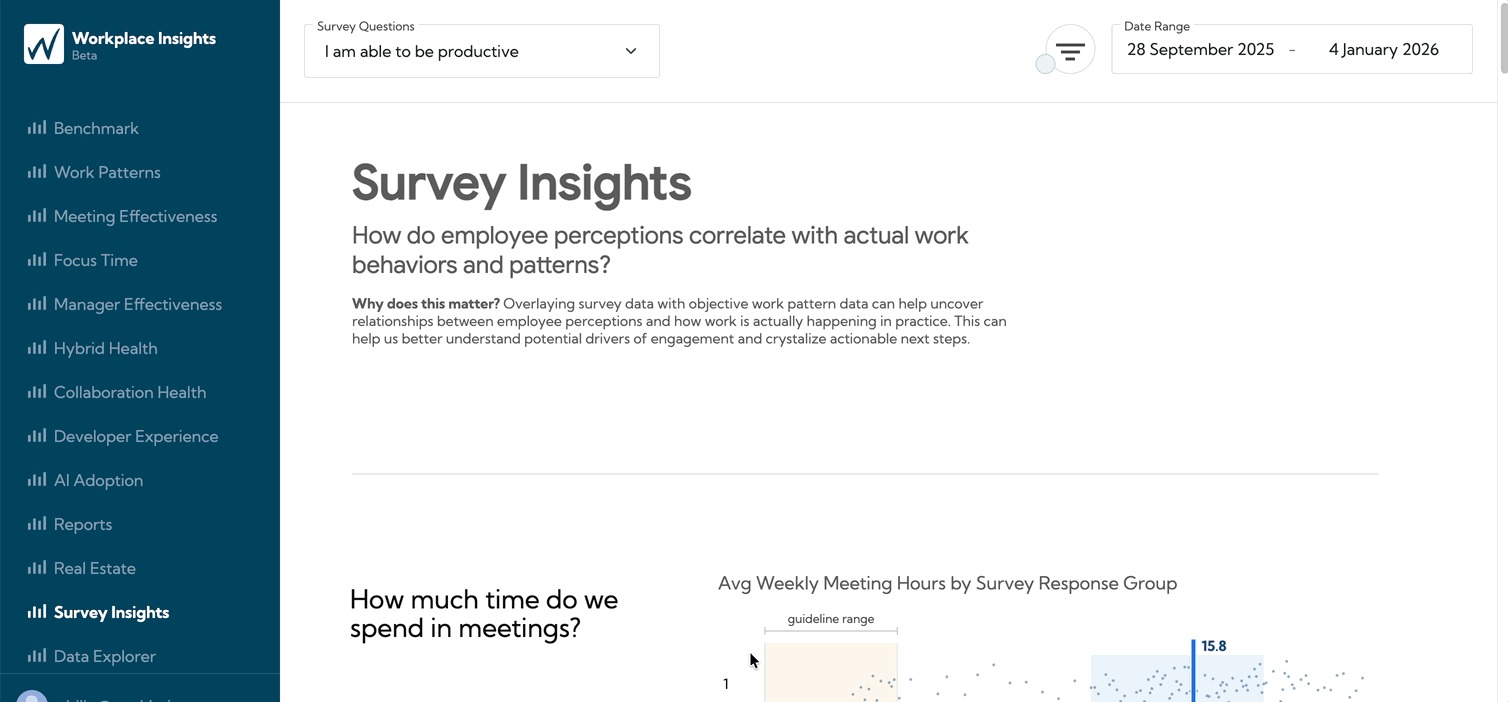
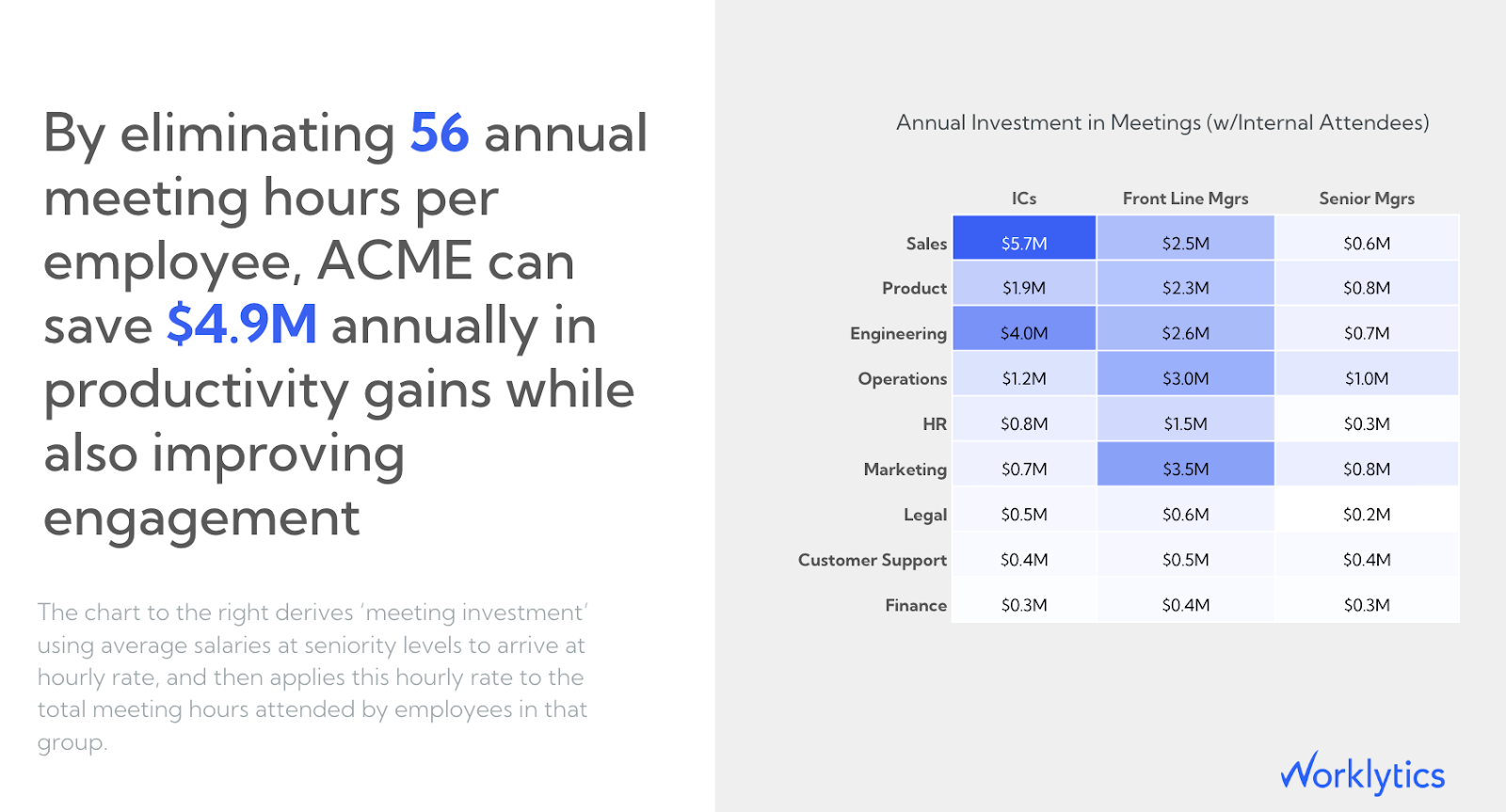
You can now break down Shape of Day insights by employee segments—like region, office, or other groups—to see how daily work patterns differ across your organization. This makes it easier to:
Check out this new chart in your Worklytics Dashboard!
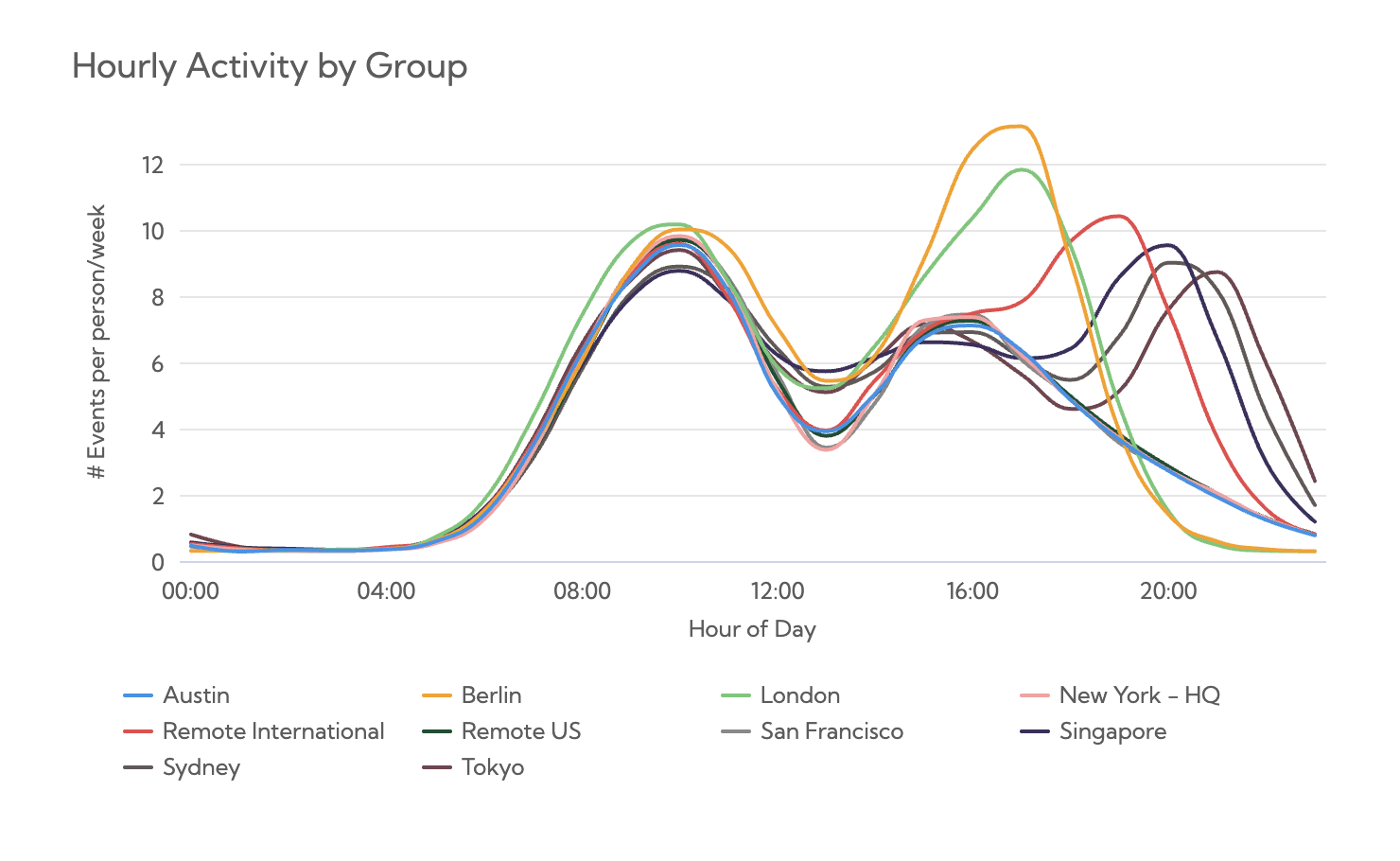
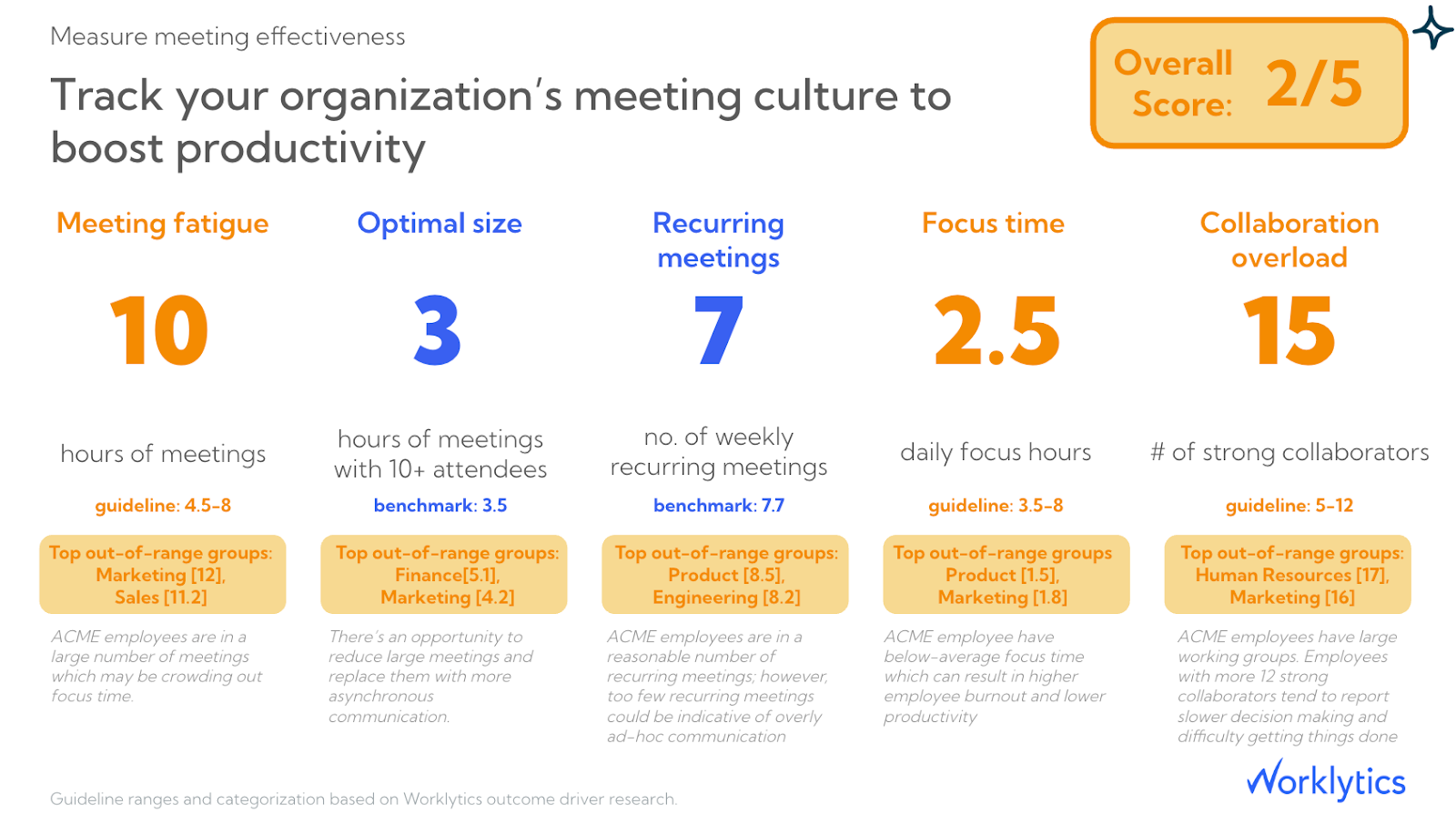
We’ve upgraded meeting effectiveness reporting to give clearer visibility into what’s helping—or hurting—productive collaboration.
With these updates, you can:
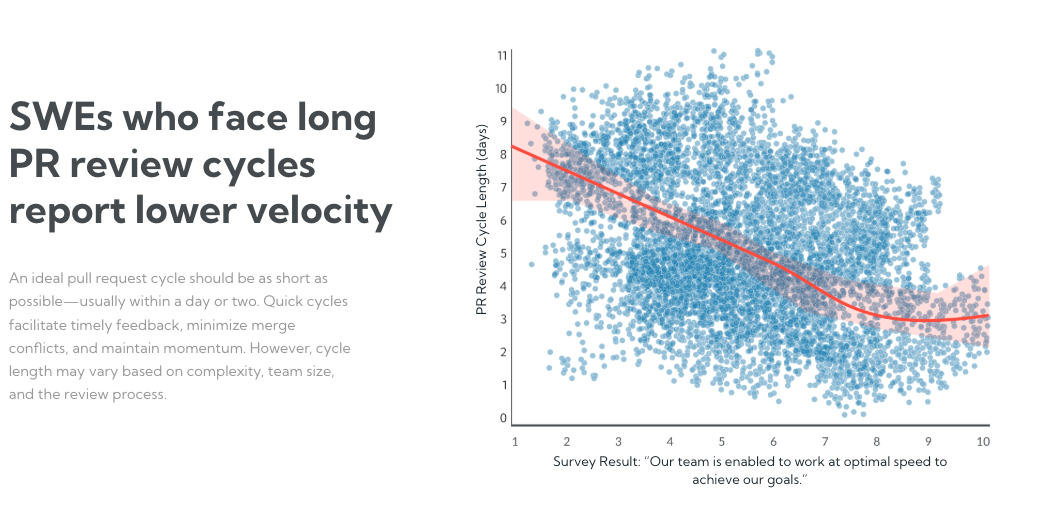
Healthy pull request cycles help engineering teams maintain momentum, reduce friction, and ship with confidence. We’ve added new GitHub metrics to make it easier to understand how long PRs actually take—and where delays tend to appear.
New metrics include:
These metrics help teams benchmark review speed, spot bottlenecks, and balance fast feedback with thoughtful reviews—accounting for differences in complexity, team size, and workflows.
Learn more about how these metrics work in our Aggregate Metrics page of the Worklytics Documentation Portal.
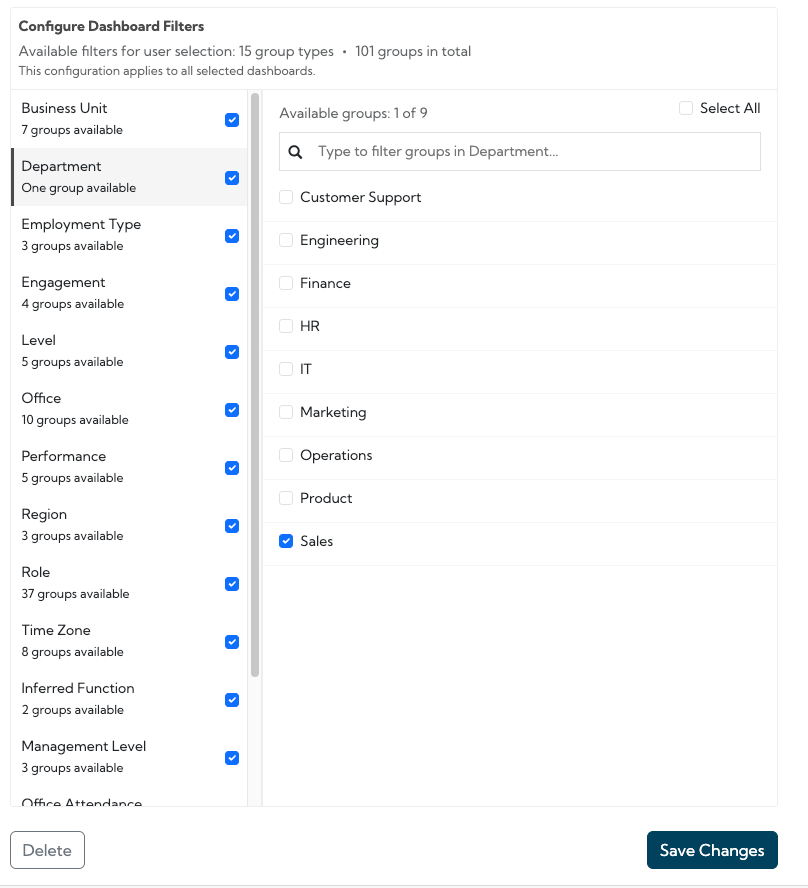
Admins now have even more control over who can see what—at scale. What’s new:
For example, a Sales leader can be restricted to only Sales-relevant functions in filter dropdowns—keeping dashboards focused, relevant, and safe to share broadly.
This makes it easier to expand analytics access without increasing admin overhead.
We’ve launched a new Dashboards page in the Worklytics Documentation Portal—a one-stop shop for getting started with dashboards. Inside, you’ll find:
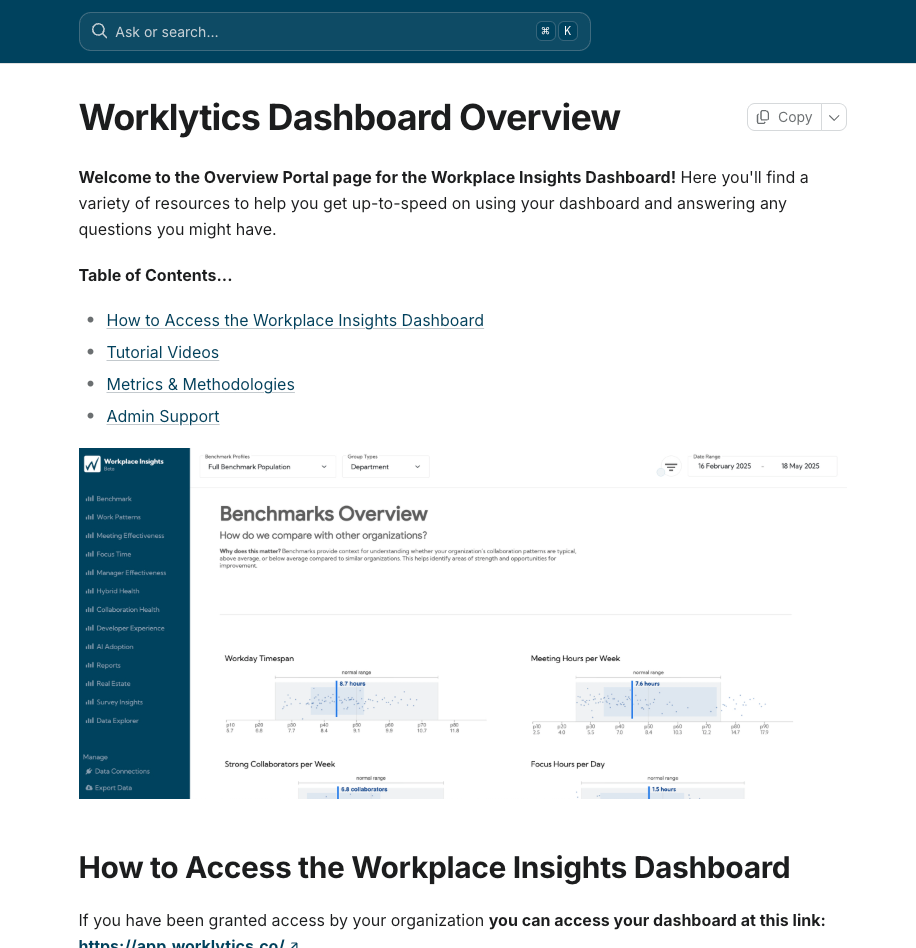
If you’d like a walkthrough of any of these updates, or want help rolling them out across your organization, just reply—we’re happy to help.
Thanks for continuing to build with Worklytics.
Here’s to better understanding how work really gets done.
Best,
The Worklytics product team