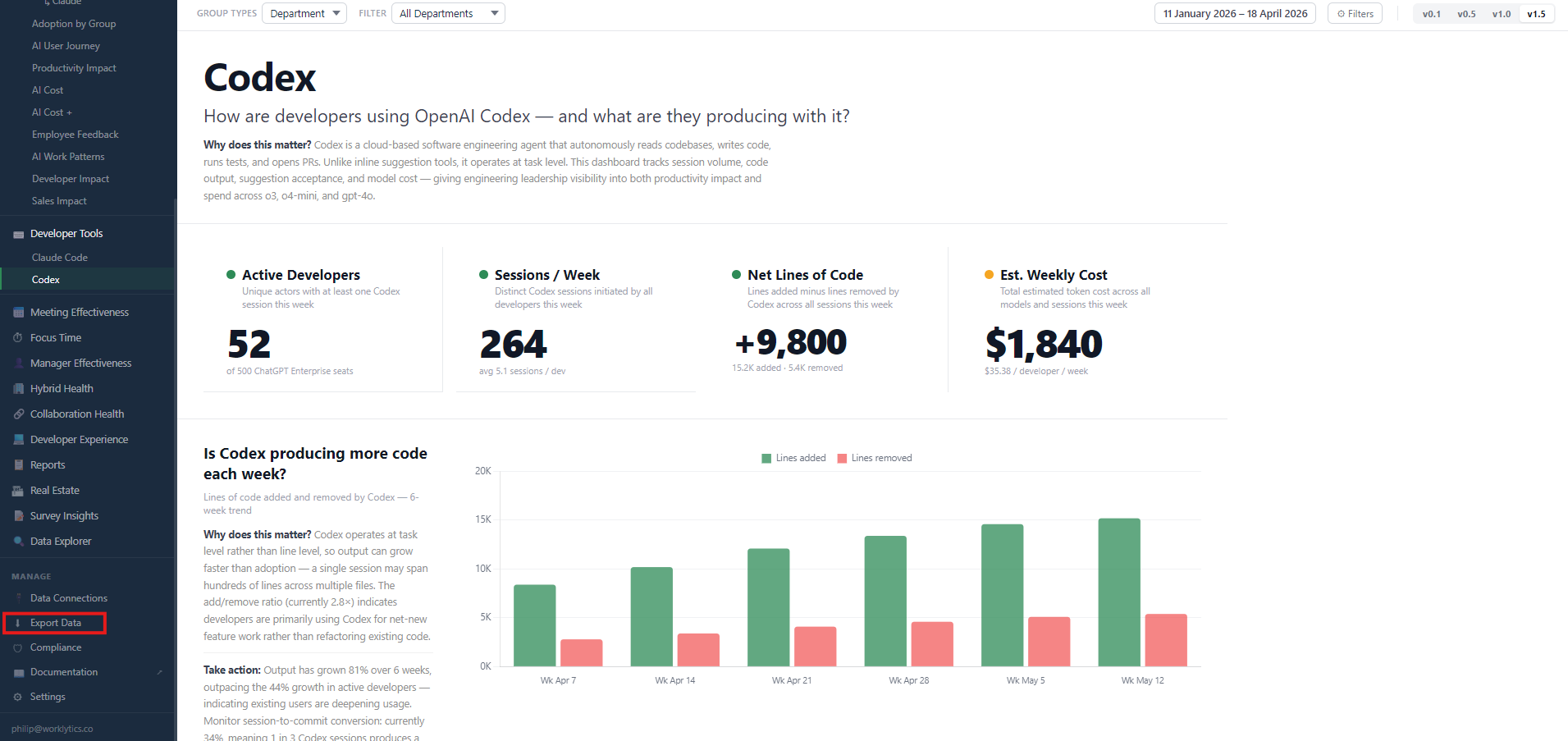
Codex spend rises faster than most engineering budgets are structured to absorb. OpenAI’s own guidance puts typical consumption at roughly $100 to $200 per developer per month, with wide variance driven by model choice, the number of concurrent instances a developer runs, automations, and Fast mode.
At 300 engineers, the gap between the low and high end of that range is a seven-figure annual difference. Finance will ask where it went. The export is how you answer.
This guide covers the export itself: where Codex spend actually lives, the three surfaces you can pull it from, and how to structure the file so it survives the trip into a warehouse or BI tool. Getting the export right is the unglamorous prerequisite to everything downstream. Its companion, How to Analyze Codex Spend Data, picks up where this one ends — turning the exported dataset into per-team cost, ROI, and a defensible benchmark.
Codex bills through two independent paths, and the split is architectural rather than cosmetic. Activity initiated inside a ChatGPT Enterprise workspace draws down workspace credits, which OpenAI prices as credits per million input tokens, cached input tokens, and output tokens. Activity authenticated with a Platform API key bills to your OpenAI Platform organization at standard API rates and never touches workspace credits.
OpenAI’s Codex governance documentation makes the boundary explicit. Eligible Codex activity can consume ChatGPT workspace credits depending on the plan, and exhausted limits can pause access to eligible features, but those controls do not set a universal Codex limit and do not govern Platform API billing. Two systems, two ceilings, no automatic reconciliation.
This matters at export time because the two paths carry different identity models. Workspace credit consumption is attributed to workspace members, so it resolves to an email address you can map to a person.
Platform API-key spend is attributed to a key and a project, and a key can be shared by a CI runner, a scheduled job, or an entire team. Organizations that have granted Codex access tokens for trusted non-interactive workflows will see a third pattern, where automated runs consume workspace entitlements with no human at the keyboard.
Any Codex spend figure reported without stating which billing path it covers is incomplete, and the direction of the error is predictable. Workspace-only exports miss CI and batch consumption. Platform-only exports miss the interactive work that represents most developer usage.
OpenAI’s admin rollout guide treats Platform API access as a separate organization and project boundary for exactly this reason.
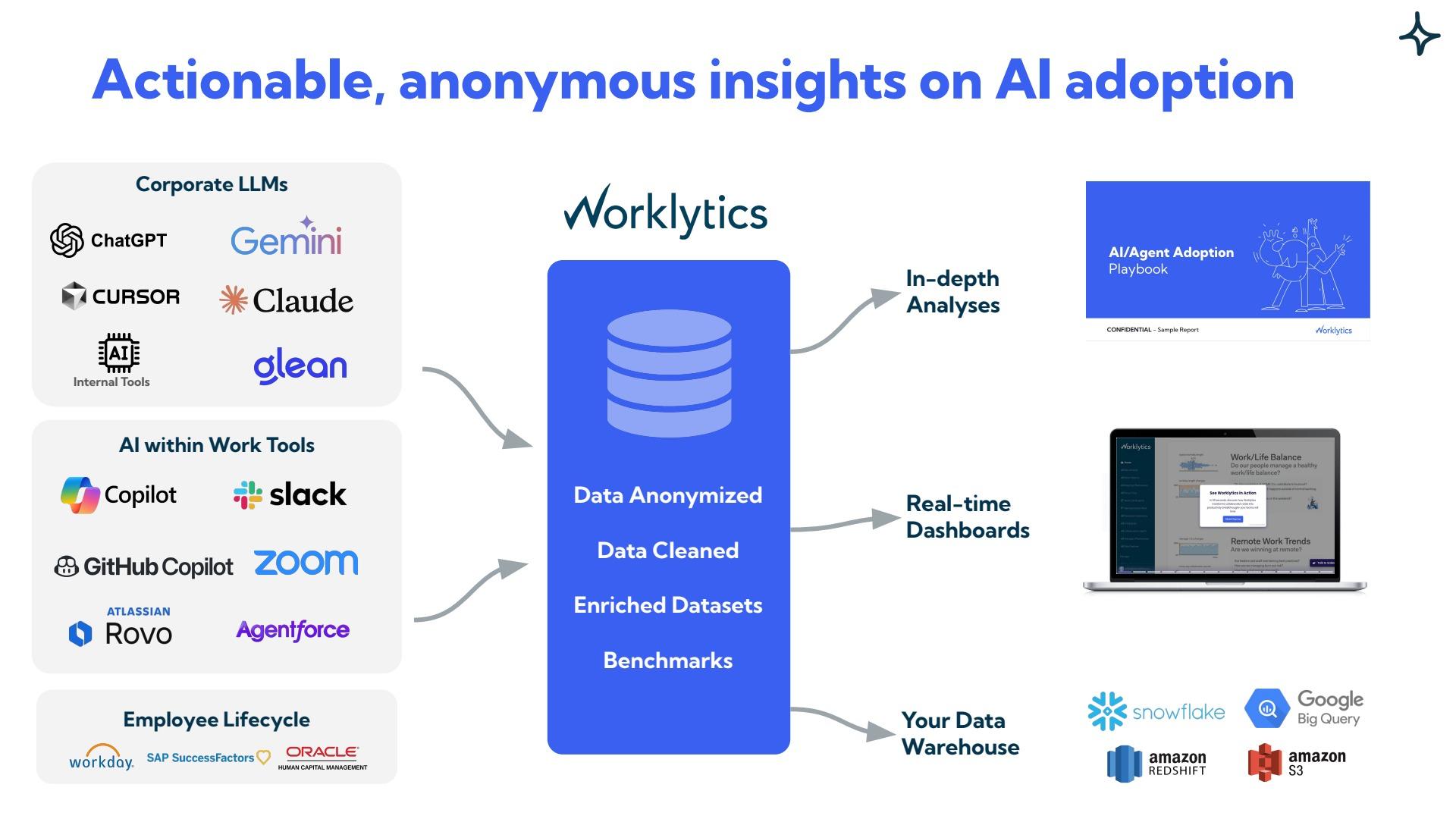
Three surfaces expose Codex spend, and each answers a different question. Match the surface to the shelf life of the question you are asking, then read the detail below.
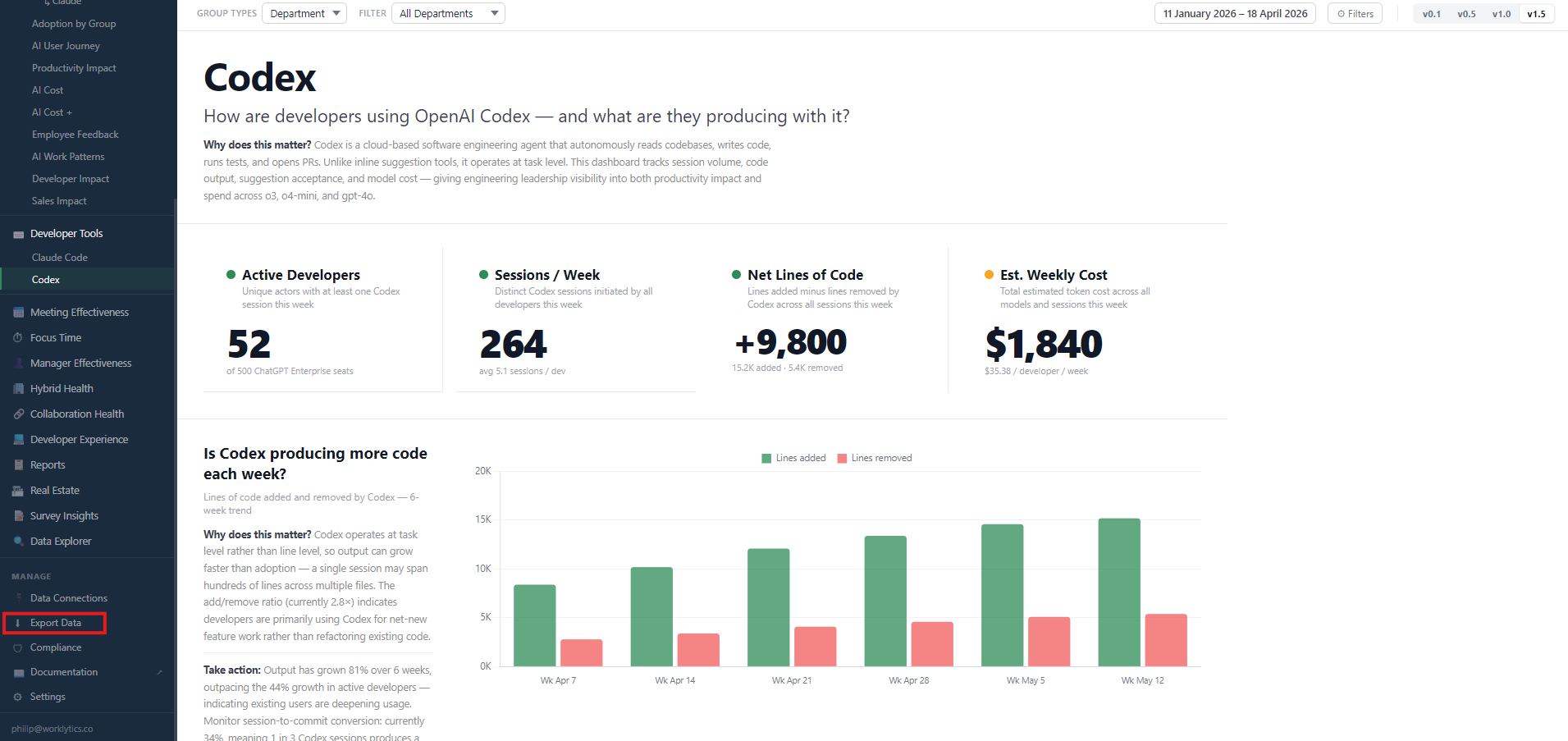
The analytics dashboard in ChatGPT Enterprise workspace settings covers active users by product surface, credit and token consumption by model, thread and turn counts, per-user rankings, and Code Review activity. Admins export it as CSV or JSON. Dashboard data carries a reporting lag of up to 12 hours, so exports pulled the same day a sprint closes will undercount that day.
Two export mechanics affect whether the file is usable. Custom date ranges on workspace usage exports can cover up to 12 months and cannot end after the current date, which sets a hard ceiling on how much history a single pull retrieves.
Fields that represent one-to-many relationships such as the map connecting a model or tool to its message count are serialized as text inside CSV cells rather than normalized into rows. A naive spreadsheet import will produce columns that look populated but cannot be aggregated.
OpenAI attaches an explicit warning to this surface that is worth honoring: do not build a durable reporting contract from dashboard labels or downloaded report fields, because those change as the product evolves. Use the dashboard for questions with a short shelf life. It is the wrong surface for anything you intend to recompute every month.
The Analytics API returns aggregated Codex usage and activity metrics scoped to a ChatGPT workspace. OpenAI positions it for automating recurring reporting, joining Codex metrics with internal organizational data, and building a controlled reporting layer without coupling the integration to an interactive dashboard.
One authentication detail causes most failed first integrations. Results are scoped to a ChatGPT workspace, but requests authenticate with a Platform organization API key, and that key’s organization must match the organization associated with the workspace. A valid key minted in the wrong organization fails in a way that reads like a permissions problem rather than a scoping problem.
OpenAI also states that the authenticated Analytics API reference is the source of truth for access requirements, routes, schemas, metrics, time semantics, and pagination. Treat any endpoint signature you find in a third-party article, including this one, as a pointer rather than a specification.
The Analytics API is aggregated by design. When the workflow requires auditable per-event records, OpenAI directs you to the Compliance API instead.
For API-key billed activity, the Platform Costs endpoint, GET /v1/organization/costs, returns billed amounts in currency. It requires an Admin API key, takes start_time as a Unix timestamp, and supports group_by on project_id, line_item, and api_key_id. Bucket width is currently limited to 1d.
The absent dimension is the important one. This endpoint does not attribute dollars to a person, because a single API key routinely covers a CI runner, a shared service, or a whole team.
The usage endpoints are where per-person granularity lives: they return a user_id field on grouped results and accept 1m, 1h, and 1d bucket widths, as OpenAI’s usage and cost API cookbook demonstrates.
The standard pattern is therefore to pull token usage at user or key granularity, pull dollars at project granularity, and allocate the second across the first using the rate card. That allocation step is a model, and the assumptions inside it are where chargeback arguments start.
OpenAI’s June 18, 2026 spend controls release narrowed this gap for workspace-credit activity. It brought ChatGPT and Codex credit usage into a Global Admin Console, with a breakdown across individual users, products, and models, and exposed the same data through a unified Cost API.
That per-user view covers credit consumption inside the workspace; dollars billed to a shared Platform API key still have to be attributed by you. The release reduces the reconciliation work. It does not remove the modeling decision.
An export without a stable join key produces a chart nobody can act on. Four fields determine whether Codex spend data connects to anything else in your organization: a durable person identifier, seat type, surface, and model.
Map to an HRIS identifier at ingestion, not at analysis time. Workspace email works only until someone changes their name or the workspace re-provisions an account — at which point historical rows orphan.
Per-user workspace usage exports include an assigned seat-type field that distinguishes ChatGPT, Codex, and Automation seats, though it appears only for eligible workspaces. Without it, agent-driven and human consumption land in the same bucket, and cost-per-developer inflates for reasons unrelated to developer behavior.
Credits burned by unattended cloud tasks, by Code Review on pull requests, and by an engineer iterating in the CLI represent different economics:
Collapse them into a single credits figure and your forecast breaks the first time PR volume changes.
Because credits map directly to input, cached-input, and output tokens, model mix explains cost variance that headcount cannot. A team that shifted to a heavier reasoning model mid-quarter shows a spend increase that looks like adoption growth, and isn’t.
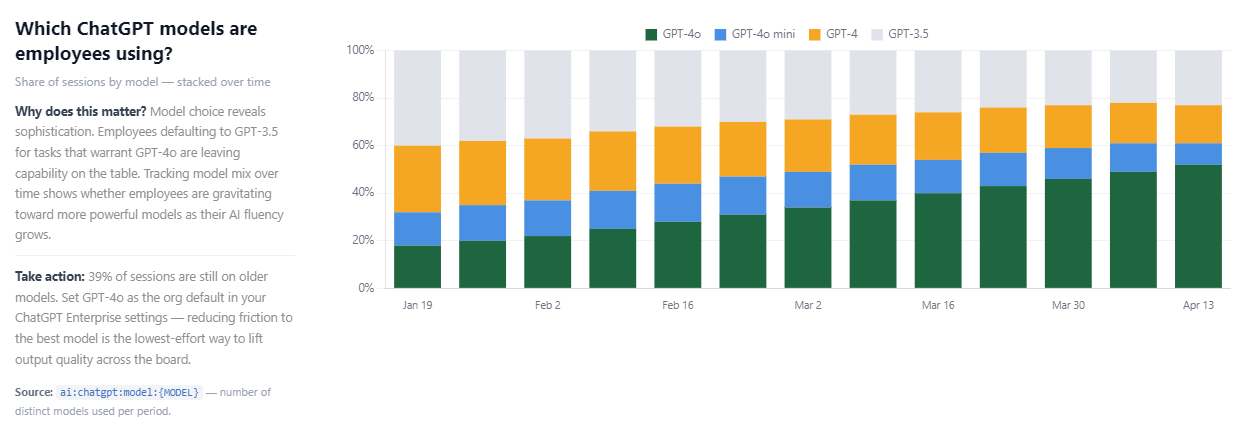
Capture model mix as a standing trend rather than reconstructing it forensically at invoice time. A stacked share-of-sessions view makes the migration visible: as newer models become the default, their share climbs while legacy models decay, and any team stalled on an older model shows up as a flat band.
That view also carries a quality signal spend data alone misses, since sessions still running on older models for tasks that warrant a frontier model are leaving capability on the table. Setting the organization default to the current model is, at once, the lowest-effort cost lever and the lowest-effort output-quality lever available.
One structural choice inside the export outranks the field list above, because it is destructive if you get it wrong. The rate card prices input tokens, cached input tokens, and output tokens as three separate lines. Export them as three columns, not one sum.
Cached input is priced well below fresh input. So the ratio of cached to uncached tokens is what later tells you whether a team’s high spend comes from sustained sessions served largely from cache, or from short scattered sessions that re-pay for the same context every time.
Sum the classes at export time and that ratio is gone, along with the cheapest lever you had for reducing spend. The companion analysis guide uses this exact split to explain why two developers with identical token volumes can cost different amounts.
The steps below assume recurring reporting rather than a one-time audit, because one-time Codex spend audits get repeated within a quarter.
For engineering organizations running more than one coding assistant, the same export and normalization approach carries across. Applying it to Claude Code usage and Cursor usage is what makes consolidation decisions defensible, since comparing tools on their own native dashboards compares different definitions of an active user.
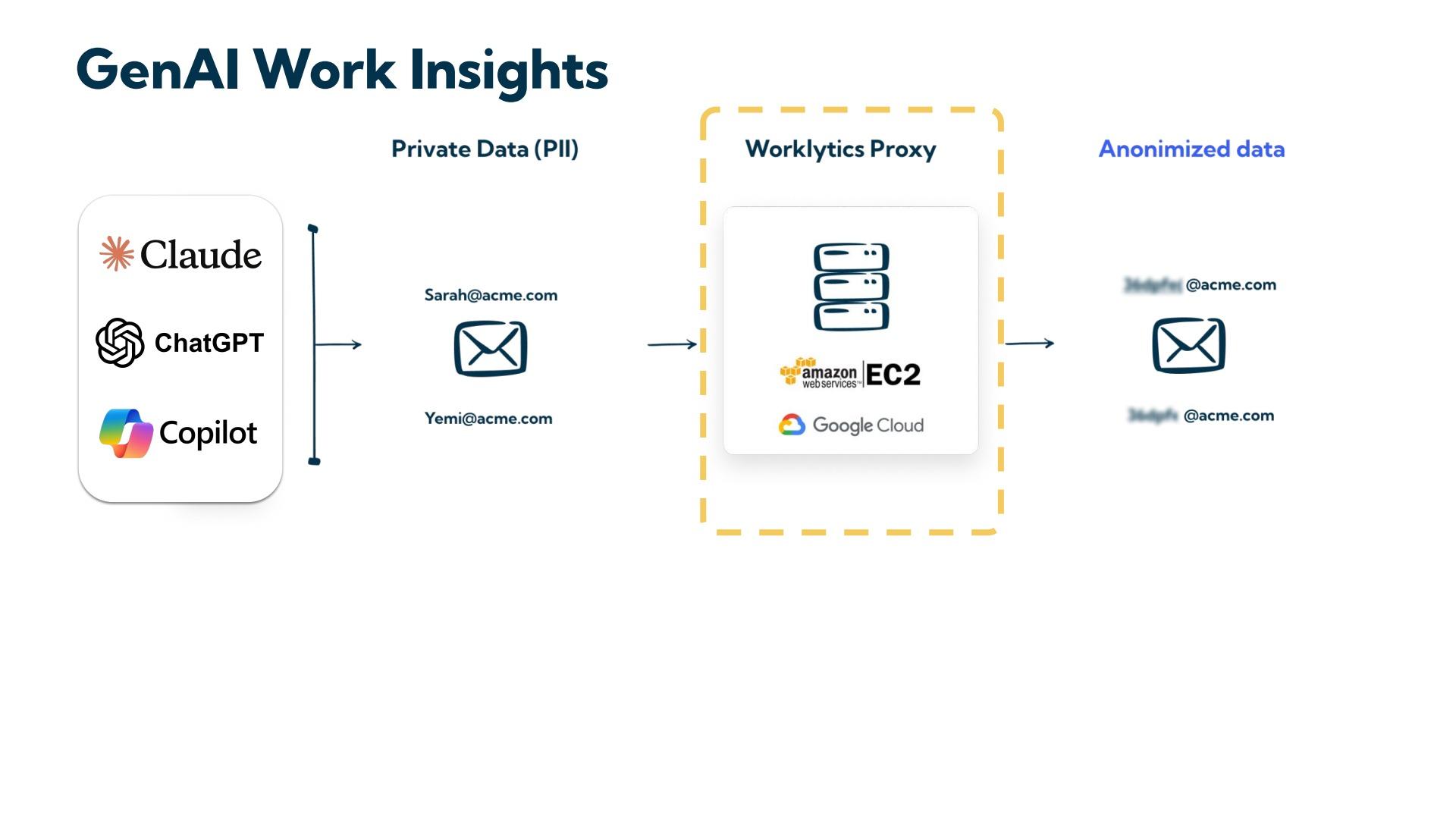
Where Codex spend needs to reach a data warehouse alongside HRIS, finance, and delivery data, Worklytics DataStream exports the underlying dataset rather than only the visualization, so the allocation logic can be audited by the people it bills. Worklytics analyzes usage metadata rather than prompt or output content, which is what makes per-team Codex cost reporting workable under works-council and privacy review.
A clean export is only half the job. Once the dataset is joined and stable, the questions finance and leadership actually ask — who should be charged, whether the spend produced anything, and how the level compares to peers — belong to the analysis stage. That is the subject of the companion guide, How to Analyze Codex Spend Data.
Partially. Workspace analytics includes per-user rankings sortable by credits, threads, turns, and tokens, and per-user workspace usage exports include identity fields where workspace settings permit. Platform API-key dollars are a different story: the Costs endpoint groups by project, line item, and API key, so a shared key cannot be split across the people behind it without a model. Per-developer dollars for API-key activity are therefore derived from token usage rather than exported directly.
The workspace analytics dashboard exports CSV or JSON. Note that fields representing one-to-many relationships are serialized as text inside CSV cells rather than normalized into rows, so they need parsing before they can be aggregated.
Custom export ranges on workspace usage reports can span up to 12 months and cannot end after the current date. If you need multi-year trends, archive each export on your own side rather than relying on retrieving it later.
The most common cause is an organization mismatch. Analytics API results are scoped to a ChatGPT workspace, but requests authenticate with a Platform organization API key whose organization must match the one associated with that workspace. A valid key from the wrong organization will fail.
Only for activity authenticated with a Platform API key. Codex usage inside a ChatGPT Enterprise workspace draws down workspace credits and is billed separately. OpenAI states that ChatGPT workspace usage controls do not govern Platform API billing, so the two need to be exported and summed deliberately.